
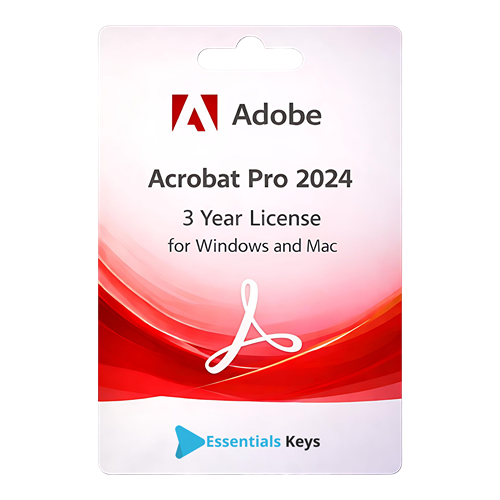

Professional PDF Management with Adobe Acrobat Pro 2024
The Adobe Acrobat Pro 2024 software offers a robust suite of tools designed to streamline document workflows for individuals and businesses. This 3-year license provides access to essential features for creating, editing, and managing PDF files on both Windows and macOS operating systems. By utilizing this yearly subscription, users can ensure their document handling remains efficient and secure over an extended period. This specific version is designated for use within the USA region, ensuring compliance with local standards and language requirements. The software is built to handle complex document tasks, providing a reliable platform for anyone who interacts with digital paperwork on a professional basis. Whether you are managing legal contracts, academic papers, or business reports, this software provides the necessary tools to maintain high standards of document quality and integrity.
Comprehensive Features for Enhanced Productivity
- Advanced PDF Editing: Modify text and images directly within your PDF documents. The Adobe Acrobat Pro 2024 interface allows for seamless adjustments to font styles, sizes, and layouts without needing the original source files. You can correct typos, update images, and adjust the flow of paragraphs across pages with precision. The editing capabilities extend beyond simple text changes; users can adjust image placement, crop pages, and modify the overall structure of the document to meet specific professional standards.
- High-Quality File Conversion: Convert PDF files into various formats, including Microsoft Word, Excel, and PowerPoint, while maintaining the original formatting. You can also create PDFs from scanned documents, web pages, or any printable file type. The conversion engine is designed to recognize complex layouts, including tables and multi-column text, which reduces the need for manual reformatting after a file has been converted.
- Document Security and Protection: Safeguard sensitive information by applying passwords and permissions. The software includes tools for redacting confidential data permanently and managing digital certificates to ensure document integrity and authenticity. This is essential for maintaining privacy and complying with data protection standards in a digital-first environment.
- Efficient Form Creation and Management: Design interactive forms that users can fill out and sign electronically. This feature simplifies data collection and reduces the need for physical paperwork. You can include dropdown menus, checkboxes, and radio buttons to create a user-friendly experience for form recipients.
- OCR Technology: Utilize Optical Character Recognition to turn scanned documents into searchable and editable PDF files. This is particularly useful for archiving paper-based records into a digital format, making it easier to find specific information within large archives. The OCR technology supports multiple languages and maintains the visual look of the original page.
- Merge and Organize Files: Combine multiple documents into a single PDF or split a large PDF into smaller files. You can also reorder, rotate, or delete pages within a document to suit your specific needs. This flexibility allows for better organization of project materials, ensuring that all relevant information is contained in a single, easy-to-navigate file.
- Accessibility Compliance: Create PDFs that meet accessibility standards, such as PDF/UA, ensuring that documents are readable by individuals using assistive technologies. The software provides tools to check and fix accessibility issues within your files, promoting inclusivity in your digital communications.
- Document Comparison: Quickly identify differences between two versions of a PDF document. The software highlights changes in text and images, providing a summary report of all modifications. This is an invaluable tool for legal and administrative professionals who must track changes across multiple document iterations.
Seamless Integration and Cross-Platform Compatibility
The Adobe Acrobat Pro 2024 is engineered to work across different environments. Whether you are using a Windows desktop or a macOS laptop, the software provides a consistent user experience. This 3-year license allows users to stay updated with the latest software improvements and security patches throughout the subscription term. The integration with various cloud storage services enables users to access their documents from various devices, facilitating a flexible work environment where documents can be reviewed and edited from any location. This cross-platform capability ensures that your workflow remains fluid, regardless of the hardware you are using. Furthermore, the software supports integration with popular productivity suites, allowing for a more streamlined transition between document creation and final PDF distribution.
License and Activation Details
This product is a digital yearly subscription with a 3-year duration. Upon purchase, the user will receive the necessary details to activate the software. This license is valid for users located in the USA. It is important to ensure that your hardware meets the minimum system requirements for Adobe Acrobat Pro 2024 on either Windows or macOS to ensure optimal performance. The subscription model ensures that you have access to the latest features and updates released during the three-year period. This long-term license provides stability and predictability for your software requirements, ensuring you always have access to the most current document management tools.
Dedicated Technical Support
Users of this software can rely on 24/7 Essentialskeys technical support for assistance with installation, activation, and troubleshooting. Our support team is available around the clock to help resolve any technical issues that may arise, ensuring that your document management workflow remains uninterrupted. Whether you encounter difficulties during the initial setup or have questions regarding specific features of Adobe Acrobat Pro 2024, professional assistance is always accessible. We are committed to providing a smooth user experience from the moment of activation through the entire duration of your license. Our technical experts are trained to handle a wide range of queries to help you get the most out of your software investment.
Optimizing Your Digital Workflow
Implementing Adobe Acrobat Pro 2024 into your daily routine can significantly improve how you handle digital information. The ability to sign documents electronically reduces the turnaround time for contracts and agreements, eliminating the need for printing, signing, and scanning. Furthermore, the comment and review tools allow for collaborative feedback, making it easier for teams to finalize documents without multiple email exchanges. This 3-year license represents a long-term solution for maintaining high standards in document professionality and security. By centralizing your PDF tasks within a single, powerful application, you can reduce the complexity of your software stack and focus on your core objectives. The software’s ability to handle high-volume document tasks makes it an essential component of any modern digital office.